Loading…
Lot verification
Verify an HD PLUS lot
Production lot details as printed on the HD PLUS box label.
Lot code not found
The system could not find lot code 18035129. Check the LOT printed on the label again, or call the hotline and we will verify it for you.
Where is the lot code?
The QR code and the LOT are printed on the inner label of the HD PLUS box.
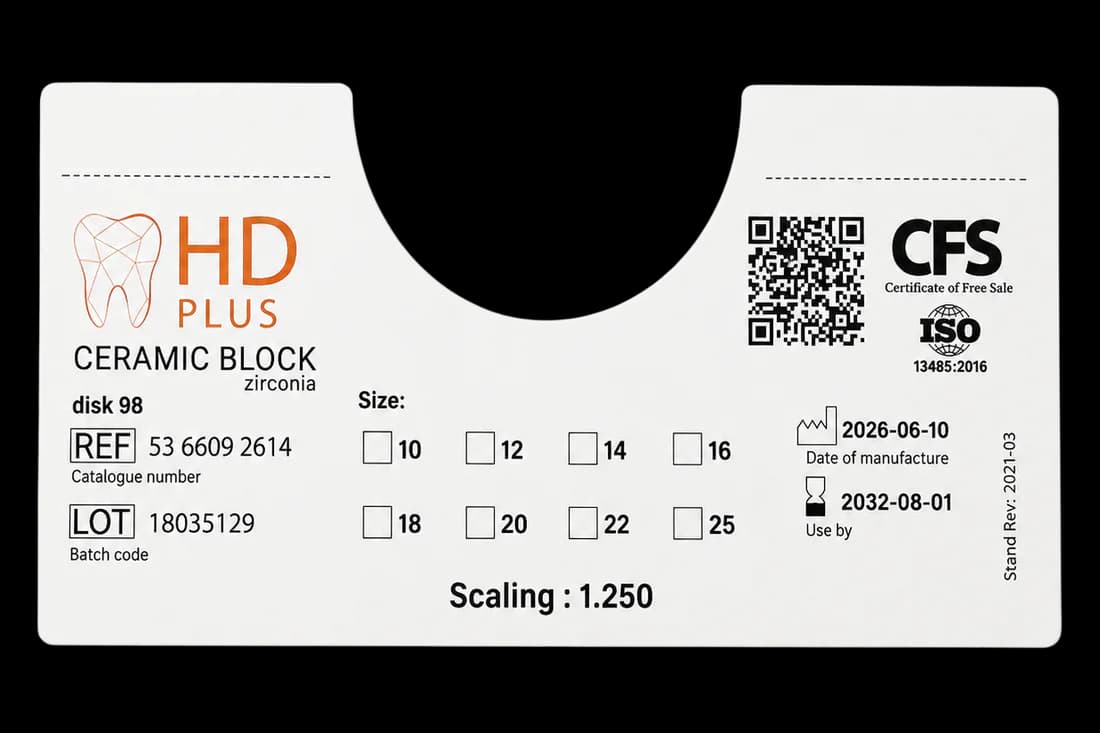
- QR code on the label — opens the lot check page
- LOT (batch code) — compare it with the result
Sample label
Three ways to check
Scan the QR with your phone
Open the Camera app, point it at the QR code on the card and tap the link that appears. This is the only way to activate the card or submit a warranty request.
Type the card number
Enter "HD" and 7 digits above. You will see the status, product, lot and warranty period; restoration details stay hidden until the QR code is scanned.
Verify the lot on the label
The inner label of the box carries a QR code to the lot check page: product name, REF, date of manufacture and use-by date.
What the results mean
The check page can return one of the following statuses.
Valid — under warranty
The card is activated and still within its warranty period.
Genuine — not activated
The card has been issued but is not tied to a restoration yet; the warranty has not started.
Warranty expired
A genuine card whose warranty period has ended.
Revoked
The card is no longer valid. Please call the hotline for an explanation.
Number not found
Check the characters again, or call the hotline and we will verify it for you.
What information is shown?
The public page shows only the minimum: product, LOT, date of manufacture, use-by date and warranty period. Clinic, dentist and tooth-position details appear only when you open the card with the exact QR code printed on the physical card. Patient identifiers are never shown publicly.
Hotline
Cannot verify your card?
Call the hotline and the Doan Huy Dental Plus team will verify the card number for you.